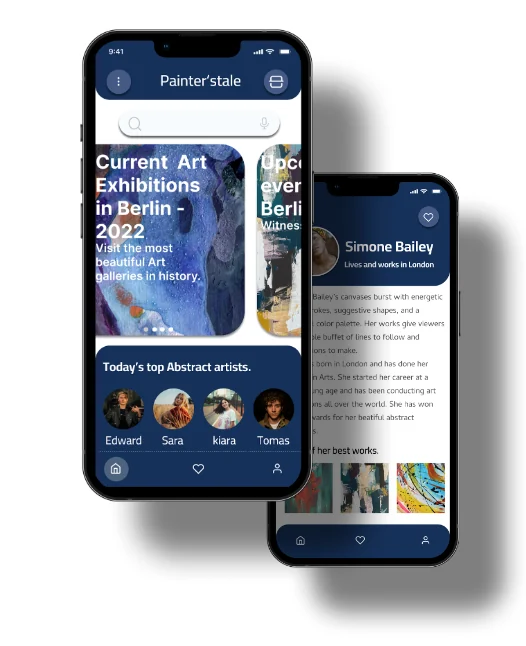
A mobile app that tells gallery visitors who made the art in front of them. My first end-to-end UX project, kept here because it shows the raw process my later case studies compress.
Galleries show the work and a small name card. Visitors who want more have two options: an information desk that rarely knows much, or a search on their phone that usually turns up nothing useful.
The gap hurts both sides. Visitors leave without a story to connect to the art. Artists, especially independent ones, get seen but not known.
The goal. Let any visitor learn about the artist behind a piece, in the gallery, in a few seconds.
I wrote two personas, one for each side of the problem.
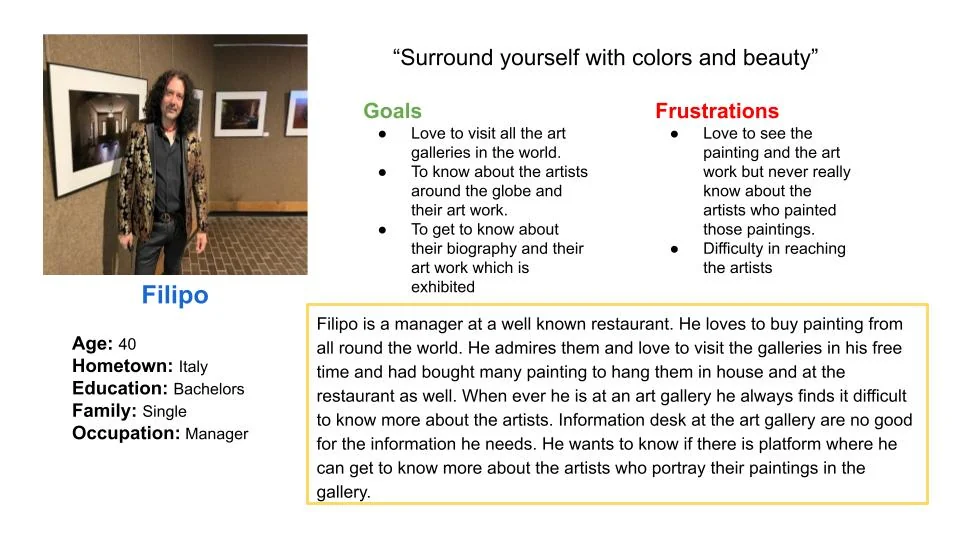
Filipo, the visitor. He collects art and visits galleries in his free time, but can never find out more about the artists than their names. The information desk doesn't help.
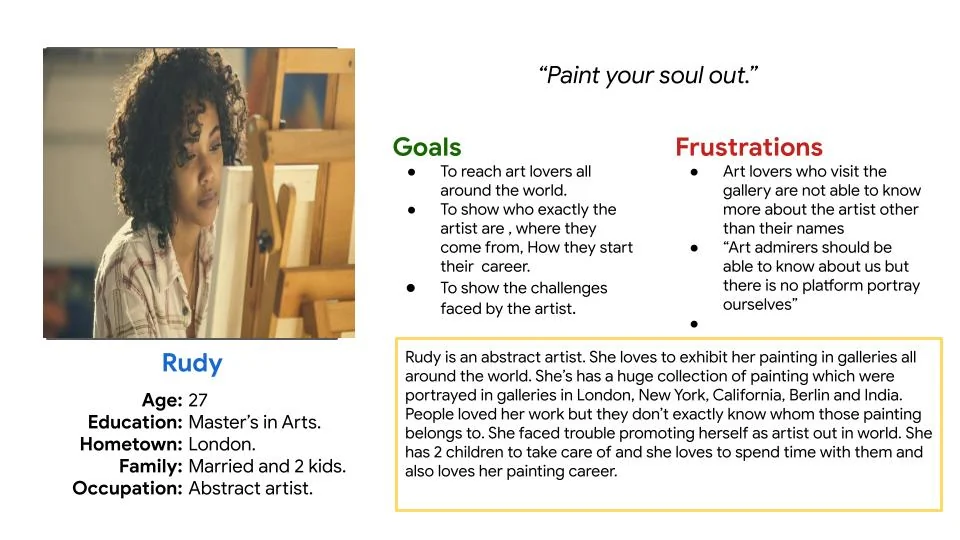
Rudy, the artist. She exhibits abstract work across several cities and struggles to promote herself beyond the wall label. People love the paintings without knowing who made them.
Framing it this way shaped the product early. It wasn't only a lookup tool for visitors. It was a way for artists to be discovered, which is why artist profiles, favourites and "currently exhibiting" lists ended up in the app.
Before any wireframes, I sketched one visit from start to finish. Anika walks into a gallery and doesn't understand what she's looking at. She downloads the app, scans a code at the entrance, then either taps the painting in the app or scans the painting itself, reads about the artist, and leaves happy.
It settled the main constraint. The moment of need happens standing up, in a quiet room, with one hand on the phone. So the path from opening the app to reading an artist's bio had to be as short as possible, and scanning had to be one tap away from anywhere.
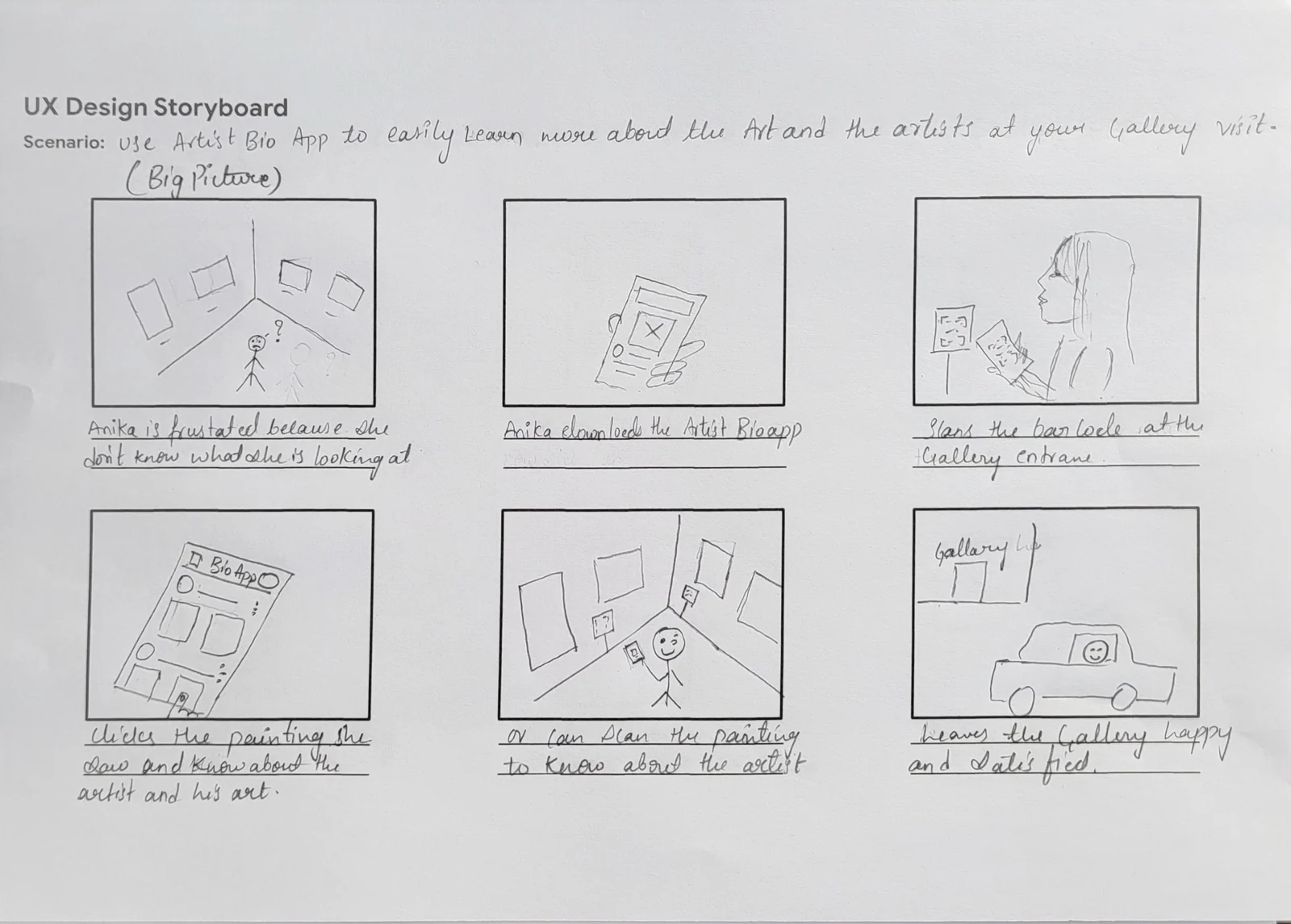
Big-picture storyboard. The working title at this stage was "Artist Bio App".
Version 1 was a catalogue. The home screen was a list of artists with a link to upcoming shows at the bottom. It didn't match the storyboard. Someone standing in a gallery doesn't want to browse a list. They want to know what's on now and who is in the room.
Version 2 started from the visit. It led with current and upcoming exhibitions, moved featured artists into a compact row, and put a scan button in the header so it was always in reach.
In the prototype, every path ends at the artist's bio, which is the screen the whole app exists for.
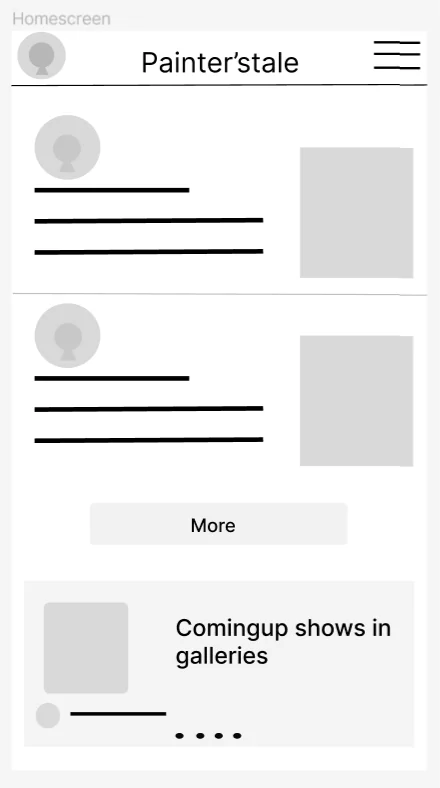
Version 1: a list of artists, with shows as an afterthought.
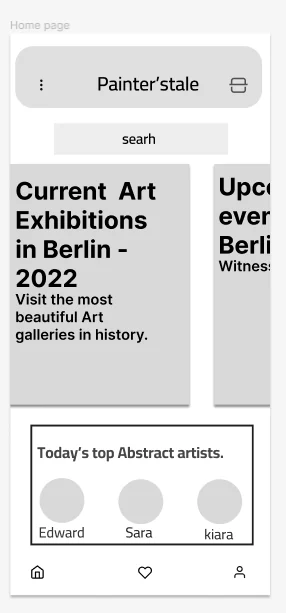
Version 2: exhibitions first, scan always in the header.
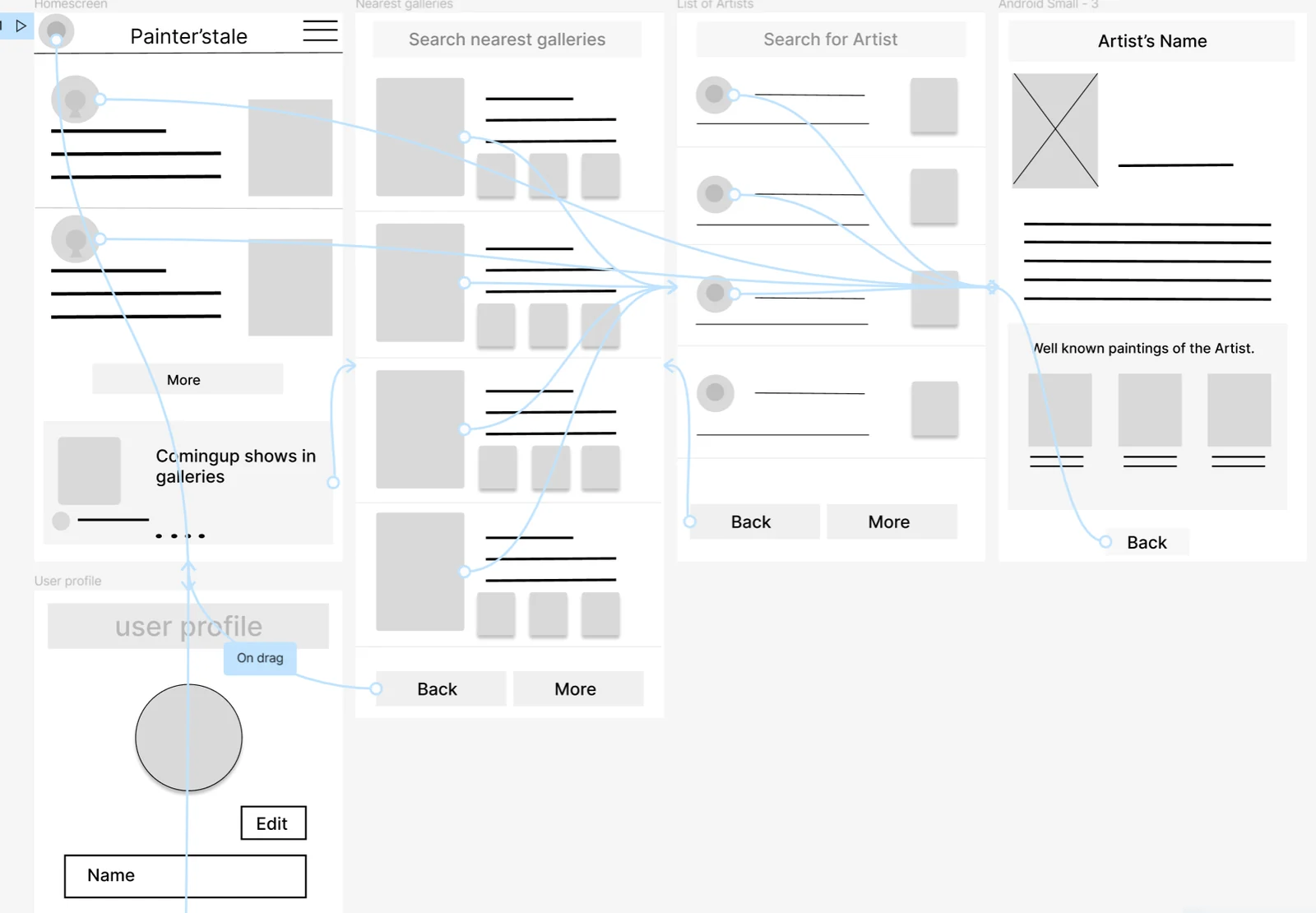
Low-fidelity prototype.
The first high-fidelity pass had four tabs, including a chat tab, and a notification bell in the header. Next to the storyboard, most of that was noise for someone in a gallery.
Four tabs became three. Chat between visitors and artists sounded nice but had no place in the core scenario, and it would have needed moderation the project couldn't support. I kept Home, Favourites and Profile.
The bell became a scan button. Notifications weren't what a visitor needed in the moment. Scanning was. Moving the scanner into the header made the core task reachable in two taps from the home screen.
Voice search sits next to text search. Artist names are often hard to spell after seeing them once on a small card.
One deep navy, and the art supplies the colour. The interface stays in dark blue and white so the paintings carry all the colour. The app should frame the art, not compete with it.
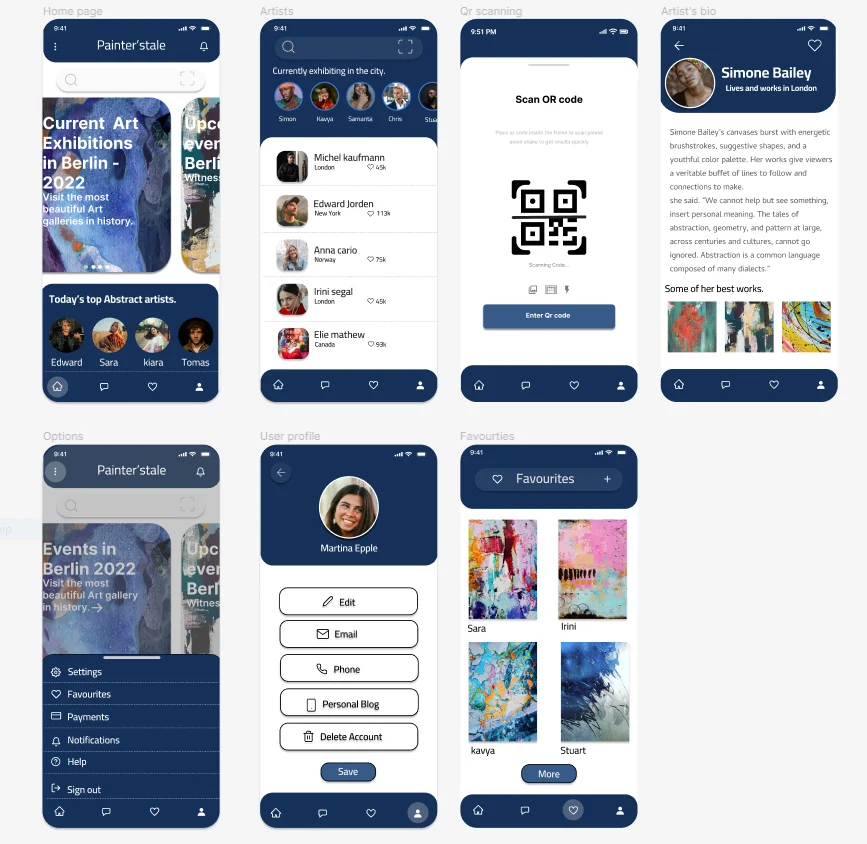
First high-fidelity pass, before simplifying the navigation.
The finished prototype covers onboarding, the home screen, an artist list filtered to who is exhibiting in the city, QR scanning, artist bios with their best works, favourites and a profile.
Home, the artist list, the scanner and favourites all connect to the same bio screen. I kept that screen as the single destination so the prototype tested one question: can a visitor get to the story behind a painting quickly, from wherever they start?
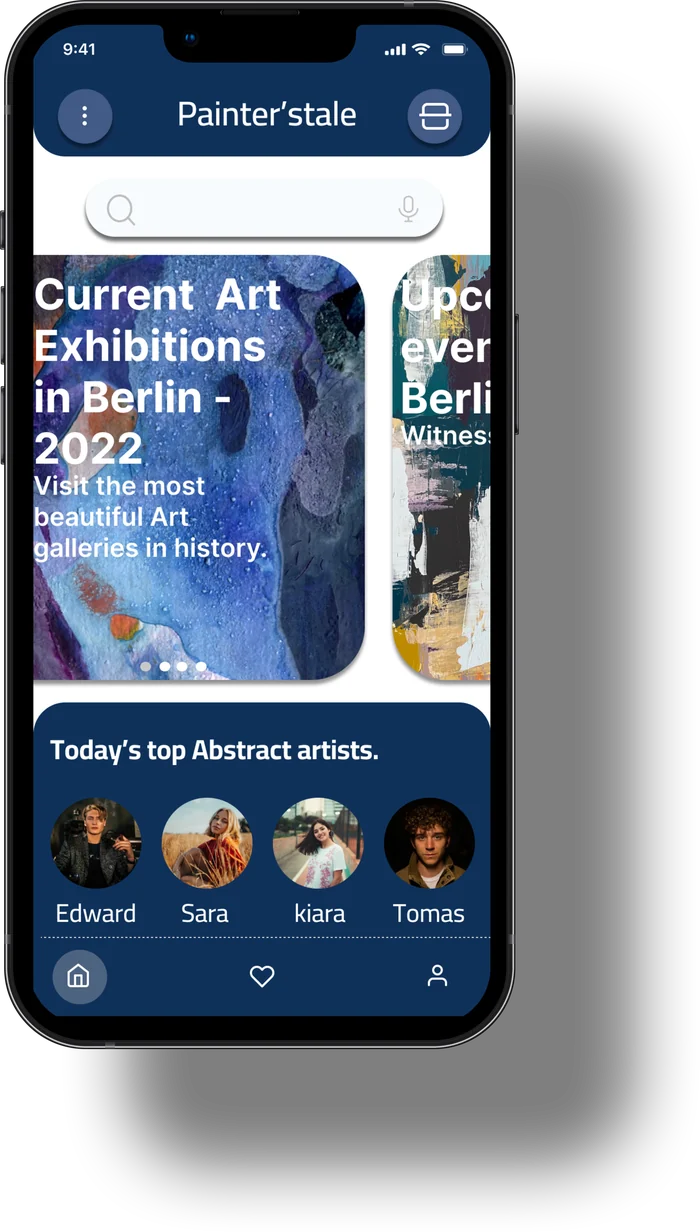
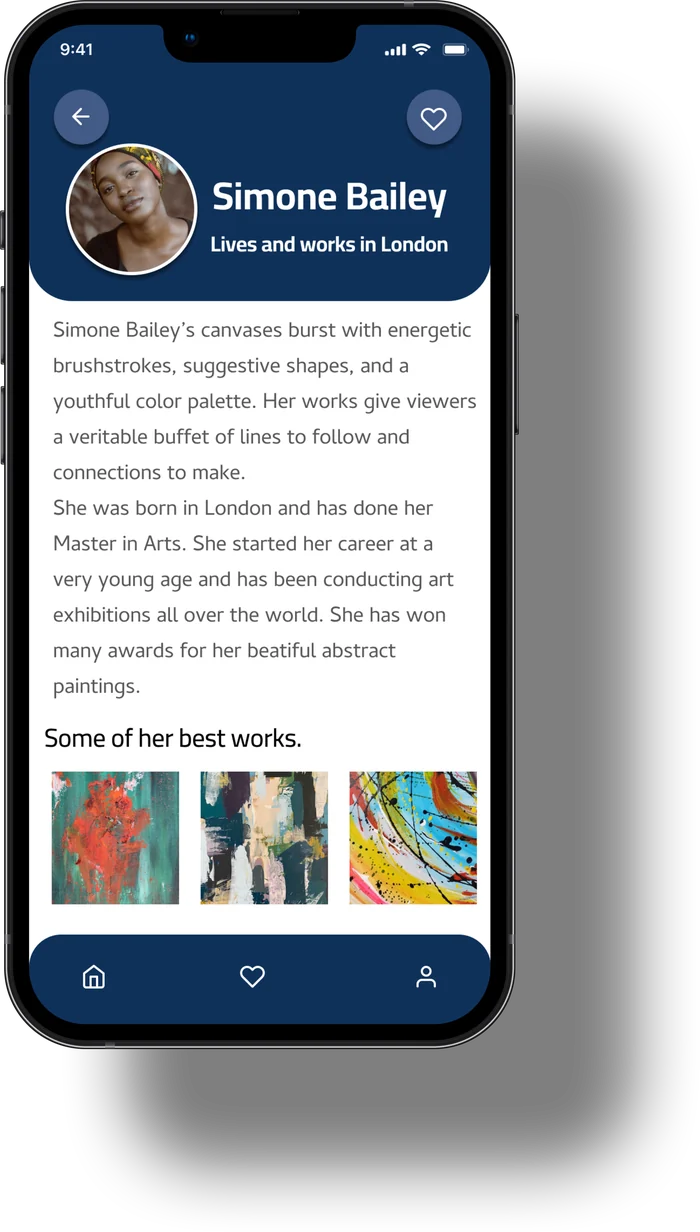
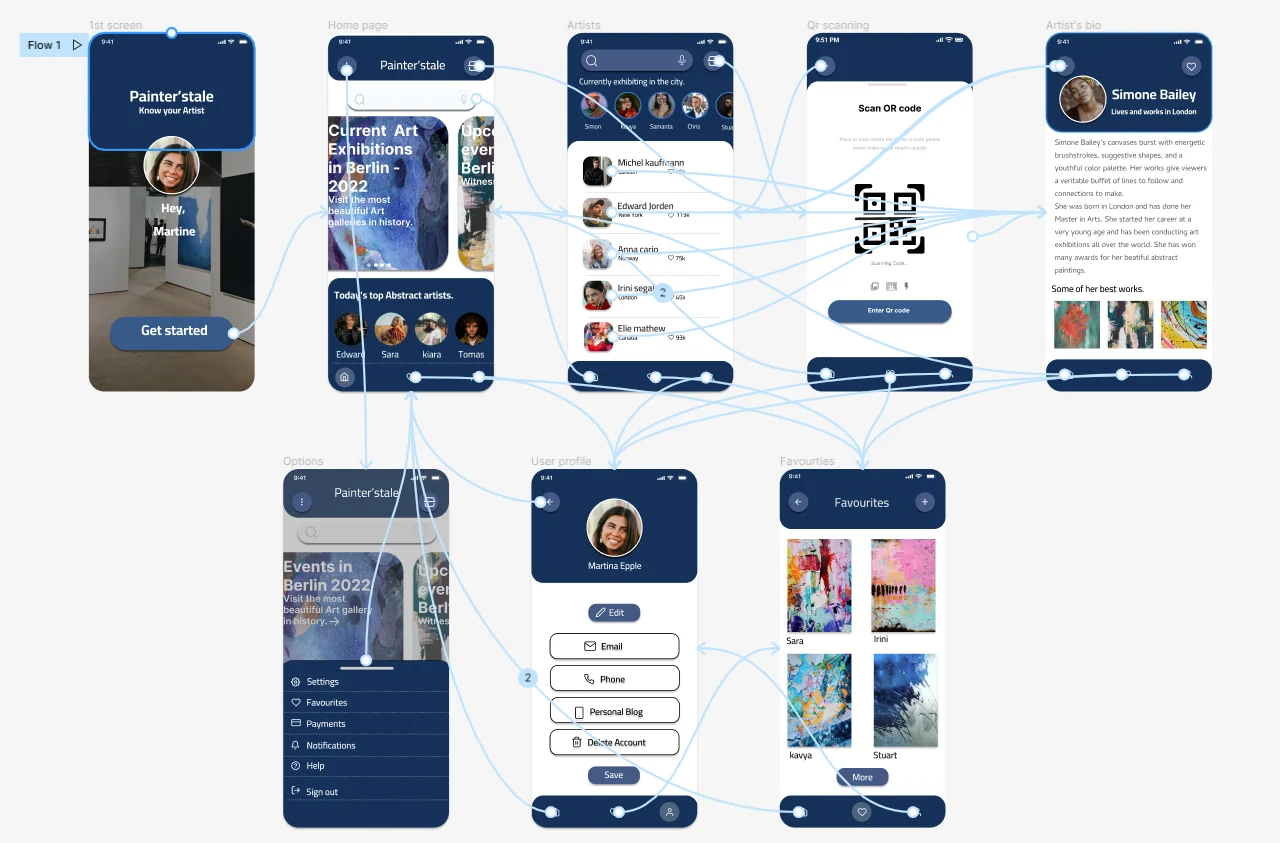
High-fidelity prototype wiring in Figma. Every route leads to the artist.
This was my first full project, and I can see its gaps clearly now. These are the changes I'd make, and the habits I've carried into every project since.
Test in a real gallery, early. I'd put a paper prototype in front of five visitors in an actual gallery before polishing any visuals. Light, noise and standing up change how people read a screen.
Design for reading on your feet. The bios are long blocks of small grey text. Today I'd lead with three short facts, add an audio option, and check contrast against accessibility guidelines.
Give the artist side a real flow. Rudy shaped the problem, but the app has no screens for artists to create or update their own profile. That's the other half of the product.
Be honest about the dependency. QR scanning only works if galleries print and place the codes. Scanning the painting itself, frame five of the storyboard, removes that dependency, and I'd explore it before committing to QR.